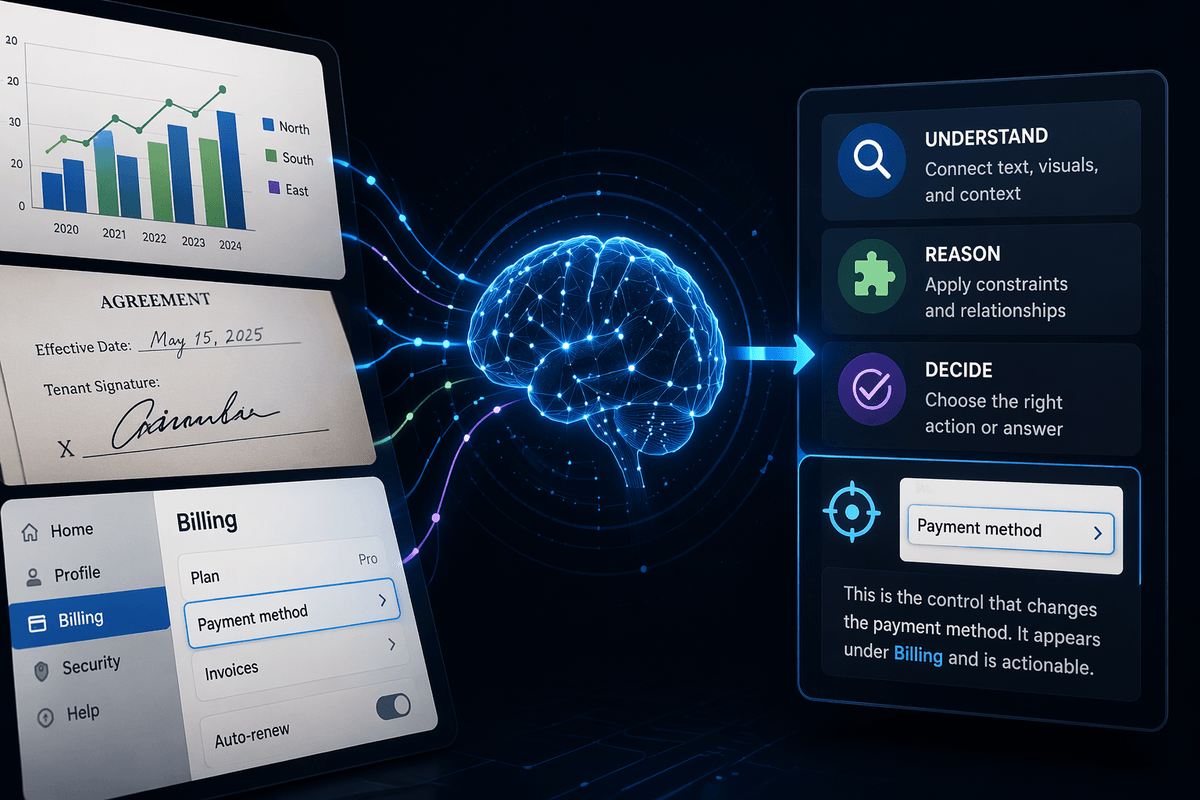
It worked in the demo—so why are users complaining?
You run the model in a clean sandbox, the outputs look sharp, and the team celebrates. Then support tickets show up: users say it’s “wrong,” “slow,” or “random,” even when your offline score still looks great. That gap usually isn’t a mystery bug. It’s the product environment doing what it always does—mixing odd inputs, partial context, unclear expectations, and hard limits on time and money.
In production, a “good answer” often means “good enough for the next step.” If the result forces a user to re-check everything, adds five seconds of waiting, or breaks a downstream tool, they’ll call it bad AI.
The hard part is deciding what failed: correctness in the workflow, the input data, the evaluation, or the integration.
“What counts as correct” inside the workflow isn’t as obvious as you thought
That “correctness in the workflow” piece usually breaks first, because users aren’t grading your model the way your test set does. They’re asking, “Can I safely take the next step?” If you generate a summary that’s 95% right but misses the one number they need to file the report, they’ll call it wrong. If you classify a ticket correctly but route it to a team that can’t act without the missing attachment, it’s still a failure.
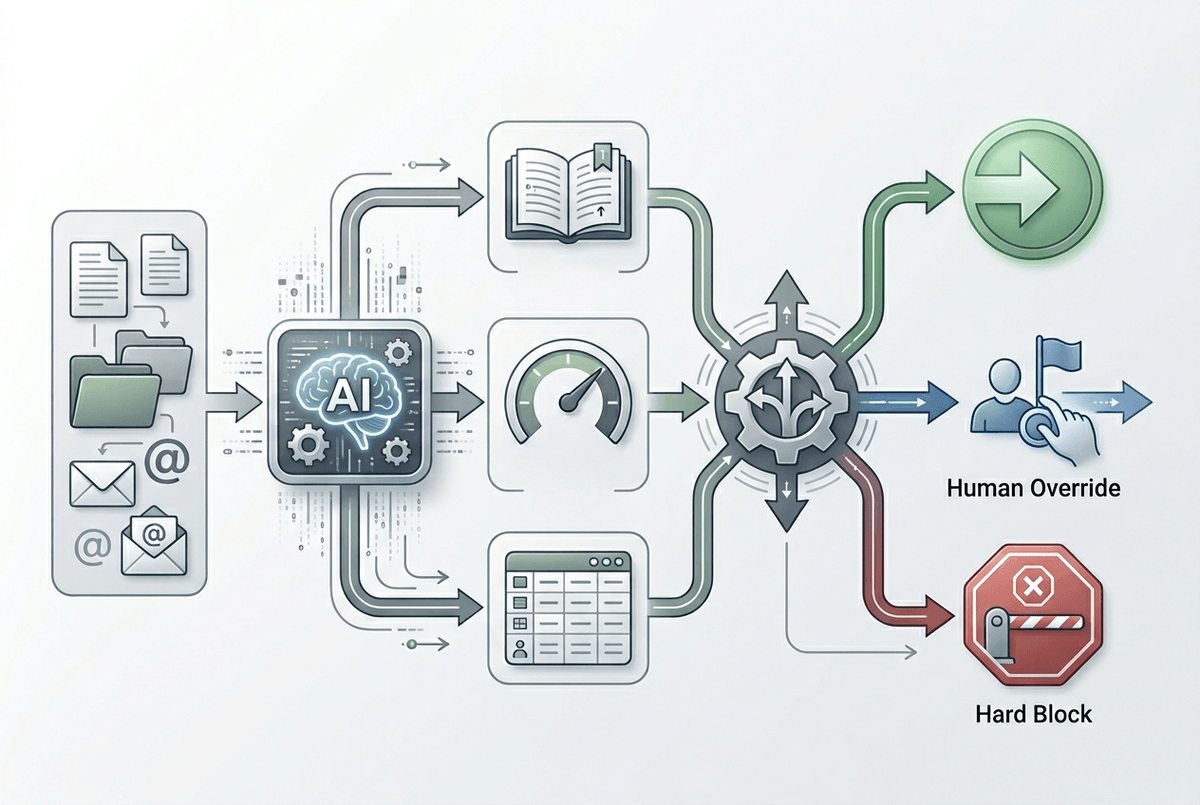
So define “correct” as a decision you’re enabling, not a string you’re producing. What does the next step require: a citation, a confidence band, a structured field, or a short answer plus sources? If a human reviewer exists, spell out what they’re allowed to override and what must be blocked. Otherwise you’ll ship a feature that looks fine in isolation but creates cleanup work downstream.
The catch is that workflow correctness is expensive to measure. You’ll need labeled examples tied to outcomes (did the user finish, did it get reopened), which pushes you toward logging and data you may not be collecting yet.
The inputs got messy: where production data diverges from your training set
That logging you “may not be collecting yet” is also where you’ll see the next failure: the inputs in production aren’t the inputs you trained on. Real users paste screenshots turned into bad OCR, forward email threads with signatures and legal footers, or submit half a form because mobile cut off the text box. Even if the model is solid, it will stumble when key fields are missing, jargon changes, or the prompt quietly grows past the context window and drops the one sentence that matters.
This usually shows up as “randomness,” but it’s often a few repeatable patterns. If a classifier was trained on clean categories, then production adds new ones (“billing + fraud”) and the model forces a bad fit. If a retrieval system was tuned on last quarter’s docs, then policies change and the top results become outdated. The annoying part: cleaning inputs costs time, and adding guard checks can slow the path users already complain about.
Start by sampling recent failures and labeling the input problems, not the outputs. Then you’ll know what to filter, what to transform, and what to treat as “can’t answer safely.”
When evaluation collapses: your metrics don’t predict real outcomes
Those “recent failures” are where teams often discover the awkward truth: the model didn’t suddenly get worse—your evaluation stopped matching the job. You can keep a high F1, ROUGE, or “LLM-as-judge” score while users still redo the work, because the metric rewards the wrong thing. A routing model can score well on label accuracy while the business outcome tanks if the “correct” queue has a 2-day backlog. A summarizer can grade high on overlap while consistently dropping the single field users need to close a case.
Fixing this starts with picking a small set of decisions that matter in the workflow, then measuring those directly. If the next step needs a number, measure numeric extraction accuracy on that field. If the next step needs safe citations, measure citation presence and whether the cited text actually supports the claim. If a human reviews, measure edit time or override rate, not “looks good” ratings.
The constraint is effort. Outcome-tied test sets require logging, labeling, and sometimes instrumenting downstream systems you don’t own, which is why the easiest metric is rarely the one that predicts what happens after you ship.
Latency, cost, and integration bugs—failures that look like ‘bad AI’

That instrumentation you don’t own is also where “bad AI” often turns into plain old product failure. A model can be correct and still feel useless if the page hangs while you wait for retrieval, the response streams into the wrong textbox, or a timeout quietly drops the final answer and your UI shows a fallback that looks “random.” Users don’t separate inference from plumbing; they only see the feature failing.
In practice, latency spikes come from network hops, slow vector search, cold starts, or retry storms when one dependency flaps. Cost pain follows right behind: longer prompts from extra context, higher-token outputs, and repeated calls when a button gets double-clicked or an async job retries. Even logging can hurt if you’re shipping big payloads on every request.
Diagnose it like any other service: break down end-to-end time by step, cap payload sizes, and add idempotency keys and strict timeouts.
You need guardrails, not heroics: choosing what to restrict, route, or refuse
That “where it must refuse” moment usually hits when a request is both common and risky: “summarize this contract and tell me what to sign,” “refund this customer,” “update this record.” If you let the model improvise, it will sometimes produce something that reads confident but breaks a rule you care about. Guardrails are how you turn that into predictable behavior: require structured outputs, validate required fields, and block actions unless key evidence is present (like a cited policy paragraph or a matching customer ID).
Routing often beats trying to make one prompt handle everything. If inputs look like OCR, shove them through cleanup or ask the user for the missing field. If confidence is low, send it to a cheaper model, a narrower rules path, or a human review queue with the right context attached. Hard refusals feel harsh, but “I can’t answer without X” is better than a wrong action.
The cost is real: more checks add latency, more branches add bugs, and review queues create backlogs—so you’ll need monitoring to see where the guardrails are helping versus just slowing users down.
After the first fix: monitoring, feedback loops, and deciding whether to simplify the task
That “slowing users down” concern is why the first fix can’t be the last. Once you ship guardrails, watch what people actually hit: refusal rate by endpoint, override rate in review, time-to-complete the workflow, and the top input patterns that trigger retries or fallbacks. If a single template, doc type, or customer segment drives most failures, you’ve found your next test set and your next training slice.
Close the loop fast. Add a “was this usable?” capture at the moment the user takes the next step, and sample those cases for labeling while the context is still fresh. The practical pain is operational: someone has to triage, label, and keep a queue moving, or the data goes stale.
If the loop keeps showing the same hard cases, simplify the task. Constrain outputs to a form, only support a few document types, or shift the feature from “do it” to “draft it for review” until the workflow data proves it can scale.